No electrical or datacom job is complete until components are properly labeled. Labeling today is a requirement, not an option, and accurate, easy-to-read labels are essential for future troubleshooting.
The past few years have seen labelmaking products become more versatile and easier to use to produce clear, high-quality labels. Several manufacturers offer products using Fluke Networks’ LinkWare Live cloud application to seamlessly import project data directly from the cloud to create labels.
Manufacturers that employ LinkWare Live include Brady, Brother and Dymo.
Brady
Labels for electrical projects must comply with rigid job specifications for the type and size of label used, said Chris Gauthier, Brady regional product manager. Label materials are available in a variety of colors, sizes and configurations and are proven to withstand liquids, abrasion and other harsh environments. Heat-shrinkable sleeves and self-laminating labels also are available.
“For voice/data projects, labeling needs include data cables, patch panels, face plates, network equipment, cabinets, racks and shelving systems,” Gauthier said. “Users prefer the self-laminating marker style, which features a printed area and a clear tail that wraps around the cable and over the printed text to prevent ink smearing.”
Flagging is a popular method of labeling data cables when a large amount of data needs to fit onto a label.
“Labeling equipment with a built-in design wizards and software make the creation of labels much easier than it has been in the past,” Gauthier said. “This is allowing users to easily import data, and manipulate it to fit the projects they are working on. The built-in wizards are now being tailored to fit specific jobs, such as residential panel wizards which automatically print commonly used labels for a household electrical panel at the touch of a button. In addition, wireless and mobile connectivity has been a major improvement for easily getting data files from a desktop computer to the printer. This new option means that data can be pushed to users in the field instead of them having to go back to the office to get new information every time it’s available.”
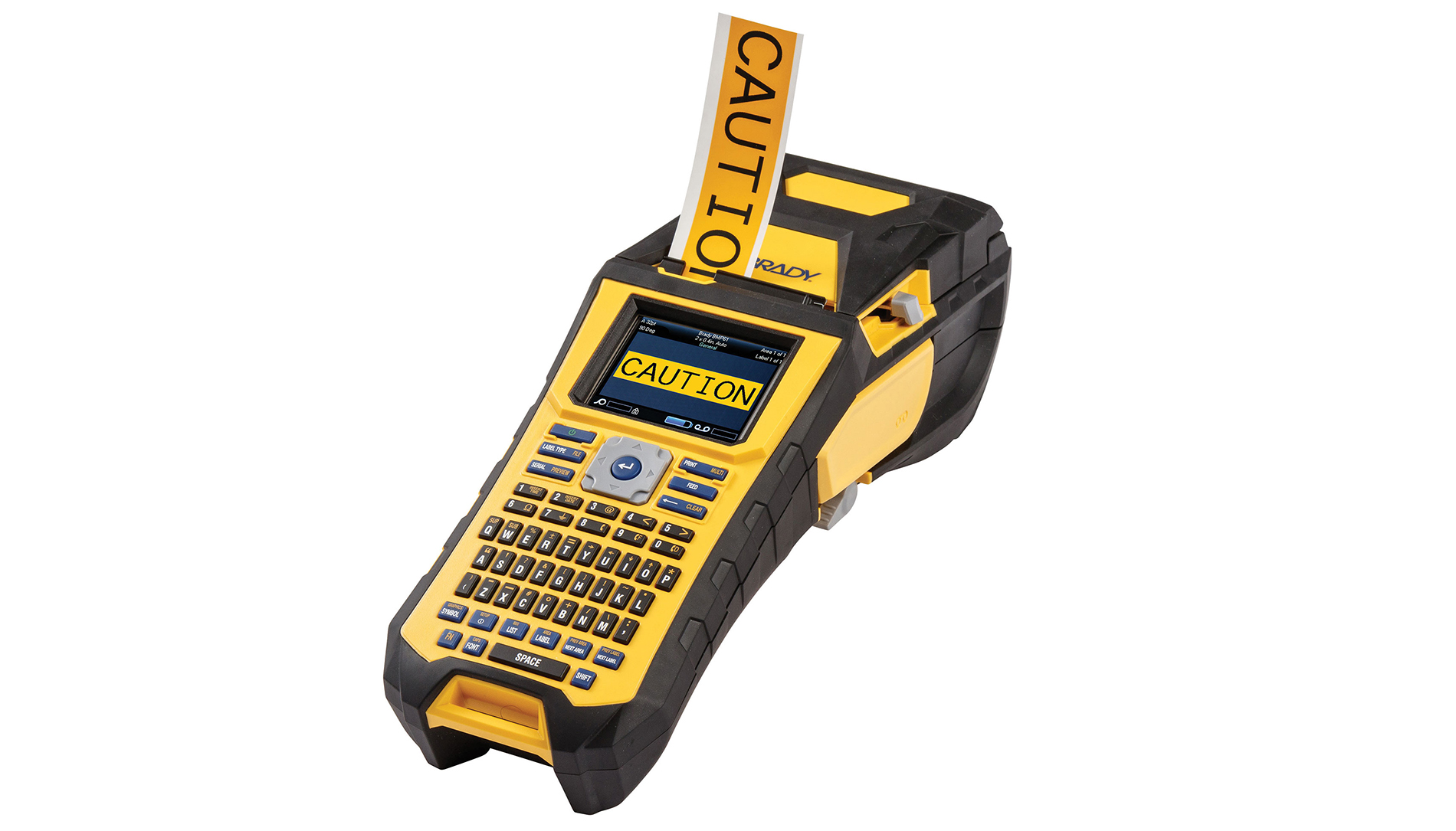
Labeling software has gotten easier to use and is now available for multiple devices.
“The availability of label-creation apps and the ability to send that information to the printer wirelessly means label creation can be more easily completed in the field at the point of need,” Gauthier said. “Tools that can import label data without retyping information make label creation faster and reduces the potential for errors.”
Contractors generally don’t want to burden field installers with label creation and printing, Gauthier said. Also, volume typically is a large determinant of whether labels are printed in the warehouse or on-site.
“If the quantity of labels used for an installation project is significant, needed labels will be prepared at the home office and then sent with the installers to be applied,” he said. “For small print jobs or last-minute additions or changes, the field installer will often have a portable printer to make necessary label changes. For field installations, self lams, wire wraps, and cable flags remain the most preferred. They are the easiest label types to print and apply.
”Brady manufactures a full line of portable label printers to support labeling projects. Durable lightweight printers have an easy-to-use interface making them ideal for quick and efficient labeling. Label materials that are engineered to withstand environmental conditions provide a long-lasting legend to ensure they remain legible for the life of the label,” he said.
Brady also carries bench-top label printers and automated applicators to help complete large identification projects. Printers and applicators are designed for high-volume label production.
Brother Mobile Solutions
Today’s labeling tools are portable and versatile, but the most significant advances have been in functionality.
“For example, our labelers all have smart keys that make common application labeling easier and drop in tape cartridges for simple refills,” said Craig Robinson, director of sales, Brother Edge products.
Edge Series handheld industrial labeling tools are designed for commercial applications including electrical, audio/video, security, datacom, telecom and manufacturing.
“They simplify the process of labeling alarm and building control systems, faceplates and electrical panels, cable and wires, data centers, harsh and outdoor environments,” he said. “There are handheld labeling tools for applications from simple job-site projects to mega data centers that require sophisticated auto-incremented labels. Preloaded, hassle-free tapes in drop-in cartridges to print variable data will be printed with a durable laminated coating.”

Label size, adhesion and durability are important factors to consider.
“More than one tape type may be needed for specific environments in which work is being done,” Robinson said. “Laminated labels come in a variety of adhesion options for rough, textured or powder coated surfaces; outdoor environments, flat, smooth surfaces; and for cable wrapping and flagging. Labels that are certified as UL-recognized under the UL-969 standard are important in many cases, and a preference for color options has emerged. Contractors want to label the job one time with labels that last.”
The latest software helps users create neat, attractive labels with barcodes, common symbols, logos and other elements, quickly and easily. The recently introduced LabelLink app enables access to certain cloud-stored data, improving efficiency on installed data projects.
“Contractors want labelers that are tough, smart and simple, at a great price point.” Robinson said. “A labeler should have the right features for the project—whether that means smart keys to streamline common label applications, great design software for professional looking asset tags and barcoded labels, wireless database transfer features for large projects, or a small, fast, efficient labeler that creates durable labels on the job site with the least amount of effort.”
Dymo
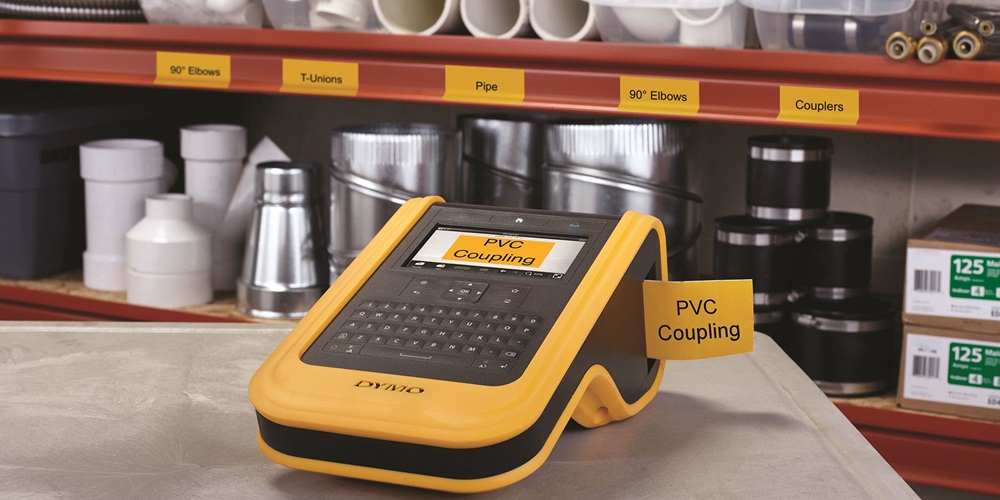
The benefits of using Linkware Live’s label application with Dymo’s XTL labelers include the ability to easily access project information in the cloud, import cable ID data, and use built-in label applications and preloaded templates to simplify labeling tasks. Label jobs can be transferred to an XTL labeler for on-the-job printing. Lifelike on-screen print preview shows exactly how labels will look when applied. The consistent software design between Dymo ID software and XTL label makers makes it easy to transition between PC and label printer.
Al Feaster, industrial account manager at Dymo, said workers must comply with standards and codes that require cables and equipment to be labeled. They need a printer that can produce labels quickly and prefer labels that stick and stay on, work indoors and outdoors, meet color-code requirements, and fit for use in multiple printers.
“Today’s labelers have more features than ever before,” Feaster said. “They now come with touchscreens, in-field replaceable cutters, and preprogrammed and customizable templates. They also offer upgrades, a larger assortment of tapes, more memory and have faster print speeds. Software is available that has become more powerful and more user-friendly, with a growth of software compatibility.”
When purchasing a label machine, Feaster said buyers should consider which system will best benefit them.
Dymo offers labels from ¼ to 2 inches in materials such as all-purpose vinyl, permanent polyester, flexible nylon and heat-shrink tubes. Different size label makers produce labels for low-voltage infrastructure as well as printers to make electric panel labels, arc flash labels and pipe marking.
LinkWare Live
One of the biggest challenges in construction—and one of the greatest opportunities—is the ability to integrate data across design, installation and certification workflows and processes, said Arvind Dutta, senior product manager at Fluke Networks.
“This only been possible in the last two years as the required technologies evolved and penetrated deeper into the industry,” Dutta said. “Now we’ve opened our LinkWare Live application to developers, starting with the labeling providers.”
Labeling and certification are the final steps contractors complete before a system’s acceptance, and the sheer volume, complexity and urgency in managing cable IDs for large jobs, such as data centers, can lead to time-consuming and costly errors in both processes.
“Using LinkWare Live, contractors can access cable IDs in the cloud from anywhere, anytime on any browser-based device to support both the labeling and certifying processes, reducing errors, cutting expenses and helping to complete projects on time or, increasingly, wrapping them up early,” Dutta said. “It adds up to better margins and more revenue. Contractors and installers have uploaded over 10 million results to date to LinkWare Live and barely have tapped the potential benefits of managing certification jobs through one platform.”—J.G.
About The Author

GRIFFIN, a construction journalist from Oklahoma City, can be reached at [email protected].